
OEM vs ODM Depth for Private-Label Education Tablets in 2026
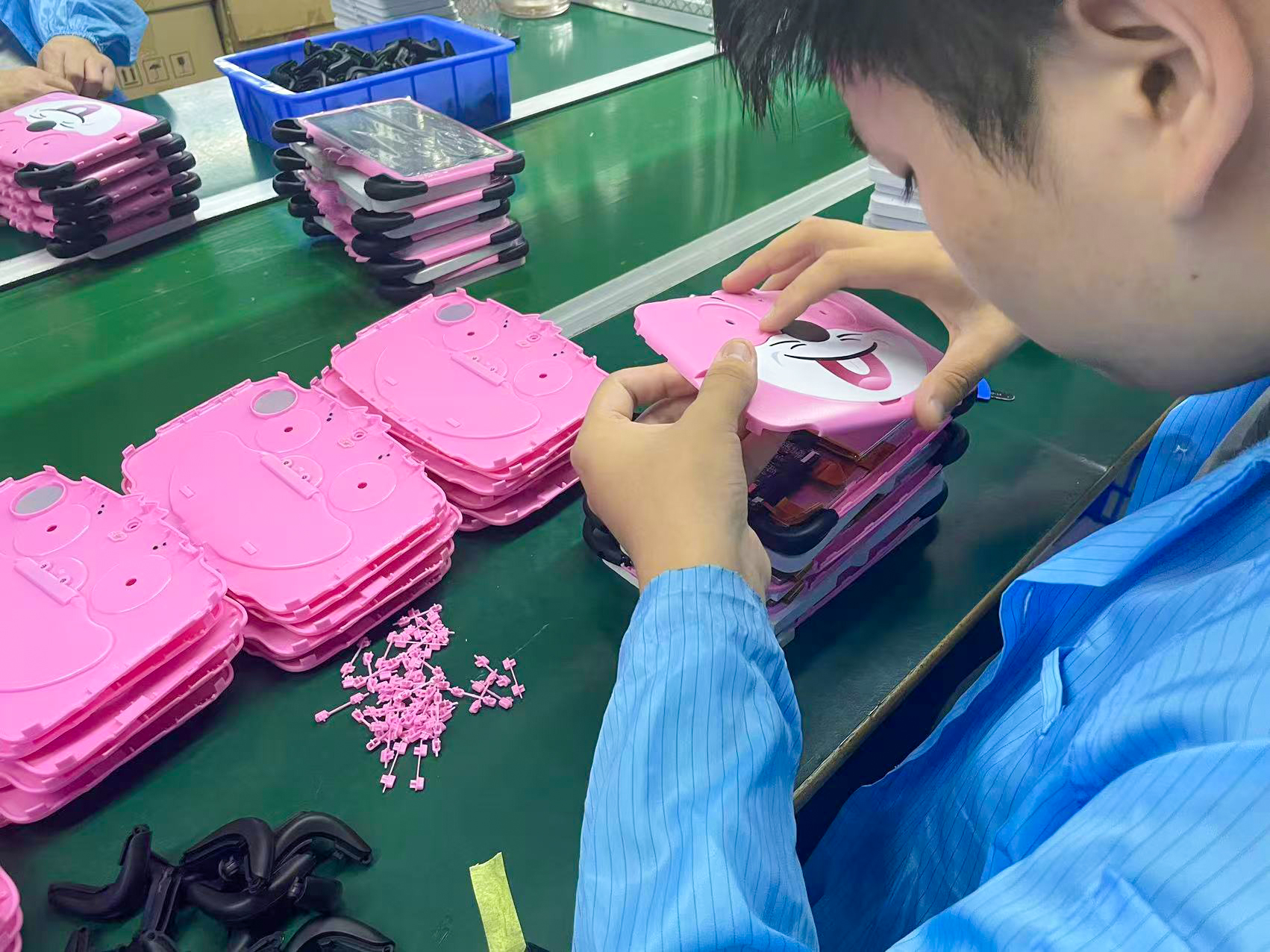
Oem Vs Odm Depth For Private-Label Education Tablets is the decision framework examined in this guide. The sections below turn sourced evidence into practical comparison criteria without overstating what the available research can prove.
OEM vs ODM depth is the first and highest-stakes decision for a 2026 private-label education tablet program. OEM (Original Equipment Manufacturer) means a supplier builds to your design and spec, so you control firmware, hardware, and brand. ODM (Original Design Manufacturer) means you rebrand the manufacturer’s own semi-finished design. The right choice comes down to four constraints: GMS licensing exposure, firmware lock and patch support, memory allocation, and minimum order quantity.
OEM vs ODM: What the Depth Difference Actually Means for Tablets
The difference is who owns the design. An OEM tablet is built to your schematic and bill of materials, giving you control over the motherboard, ports, firmware, and final branding. An ODM tablet starts from the manufacturer’s proven semi-finished platform — you pick a model, apply your logo and packaging, and ship. In practice ODMs own factories and run high-volume lines, which is why they can deliver faster at lower cost for standardized hardware ([3]).
For a practical vendor example, readers can review custom Android tablet factory.
That distinction answers the common question “What is the difference between OEM and ODM tablets?” concisely: OEM rewards full control of design and IP; ODM rewards speed and economy on an existing design. Most school-district deployments land somewhere along that spectrum rather than at either extreme.
Why the 2026 Education-Market Squeeze Raises the Stakes
The stakes of that depth choice are not theoretical in 2026. K-12 education is projected to approach roughly 30% of tablet unit volume by 2028, according to Coherent Market Insights analysis cited in the current private-label Android tablet sourcing guide ([1]). That growth pulls new white-label education tablet sourcing programs into a market where the same few Android platforms supply commercial display, digital signage, and industrial touchscreen use cases.
A growing pipeline does not lower MOQ pressure. Buyers who assume a standard ODM form factor will meet compliance and support requirements are exactly the ones who discover the constraints late. The 2026 environment rewards procurement teams who decide OEM vs ODM depth before they shortlist a supplier, not after.
The 2026 Baseline: Android 14+ Firmware and GMS as the Real Gate
Before comparing suppliers, confirm four non-negotiables: verified Android 14+ firmware, GMS licensing in place, a documented firmware-lock policy, and a stated patch-support window. The gate is not the OS version number printed on a spec sheet — it is how responsive the vendor is when you need a firmware change.
A capable OEM supplier will tailor the Android build to your needs, including customizing the boot animation, pre-installing your application as a non-deletable system-level app, and setting default language packs for your district ([4]). If a vendor cannot show enterprise-grade firmware discipline on Android 14+, no amount of hardware branding compensates.
The Decision Matrix: ODM Platform vs OEM Depth Across Four Constraints
| Constraint | ODM semi-finished platform | OEM private-label depth | Decision rule |
|---|---|---|---|
| GMS licensing/exposure | License sits with the manufacturer’s certified build | You own GMS and the Play-compliance surface | Own it for managed deployments; accept shared for pilots |
| Firmware lock & 24-month patch support | Lock and patches follow the manufacturer’s roadmap | You direct firmware lock and the patch calendar | OEM wins where support must outlive the vendor’s roadmap |
| Memory allocation ceiling | Fixed RAM/storage per platform tier | You set the memory allocation to match your app stack | Choose OEM when classroom apps exceed ODM ceilings |
| MOQ & capital | Low MOQ, faster entry | Higher MOQ, more capital committed | Cap commits until certs are verified per SKU |
Read this matrix as the direct answer to “When should you choose ODM vs OEM for tablets?” For a long-term managed deployment, OEM depth is justified; for a fast, low-risk trial, a semi-finished ODM platform at a pilot order fits better.
Branding Trade-Offs: What OEM Depth Buys You vs What It Costs
Choose by brand-equity goal, not by habit of how to choose a private label Android tablet.
- OEM depth buys: full UI and hardware control, a custom boot animation, non-deletable system-level app preloads, regional certifications, and a distinct industrial touchscreen or commercial display identity.
- ODM trade-offs: the manufacturer’s own design, standard ports, and faster entry at lower MOQ — at the cost of leaving the visible design mostly generic.
A standard OEM package includes silkscreen branding, laser-engraved project identifiers, and custom packaging, all cheap relative to the firmware work ([4]). If your differentiator is the device experience and enterprise support story, OEM depth is the levers that carry it.
Choosing by Scenario: Sample and MOQ Realities in the 2026 Squeeze
- Define the firmware-lock and patch-support requirement for the deployment length, so the MOQ budget matches the support term.
- Set a hard MOQ ceiling before evaluating suppliers, since MOQ (minimum order quantity) is the strongest driver of capital at risk.
- Decide the depth-to-capital ratio: reserve full OEM customization for the flagship SKU and run a semi-finished ODM tablet platform for volume or pilot tiers.
- Request third-party lab verification of certifications and battery/adaptor reports before any payment.
An OEM/ODM partner should be able to walk you through the manufacturing and compliance handoff; if the process is opaque, it is a signal ([2]). Your memory-allocation decision ties directly into how deep a customization path you can fund, so set it early in the buying cycle.
Compliance and Certifications: Never Assume by Model
Certifications are SKU-specific and destination-market-specific, so confirm them for the exact model you plan to order and never assume one certificate covers every variant. In the US, look for a valid FCC ID and UL 62368-1 for the power adapter; in the EU, expect CE plus RoHS and RED; and battery labeling needs UN38.3 and IEC 62133 documentation. Treat “certified” as a claim to verify against the ordering SKU, not a blanket statement — the same OEM/ODM decision does not guarantee cross-model compliance. Building an education tablet OEM customization program means auditing these per unit, per region.
Key Takeaways for a School-District or White-Label Buy
- For a long-term managed deployment, choose OEM depth with Android 14+ and documented firmware support, and plan refresh along the same lines as an enterprise fleet (enterprise Android tablet fleet).
- For fast, low-risk entry, run a semi-finished ODM platform capped at a pilot order until compliance is proven.
- Always verify certifications per SKU and set the memory allocation ceiling before signing (memory allocation in OEM vs ODM).
Get the depth, compliance, and MOQ right and the deployment scales cleanly; get them wrong and you inherit a fleet you cannot support. The same discipline applies whether the hardware sits in a classroom or an industrial setting (rugged industrial tablet sourcing).
For a practical vendor example, readers can review custom tablet firmware and packaging.
Related guides
Planning an OEM tablet project?
Share the required screen size, performance, RAM/storage, firmware, branding, certifications, destination market and expected quantity so Wintouch can confirm a suitable configuration and project plan.
- Phone
- +8613922898904
- [email protected]
- +8613922898904
Content reviewed: 2026-08-30.
Evidence confidence
Confidence: Medium. This rating reflects cross-checking 4 sources across 4 independent domains. It measures evidence coverage, not certainty; verify safety-critical work against manufacturer instructions and local requirements.
References
APA 7th edition
- ↑Alibaba. (n.d.). How to Choose a Private Label Android Tablet. Retrieved August 30, 2026, from https://electronics.alibaba.com/buyingguides/private-label-android-tablet-guide-2026.
- ↑Topicon. (n.d.). OEM & ODM Tablet Manufacturing Process Explained. Retrieved August 30, 2026, from https://www.topicon.hk/blog-detail/tablet-manufacturer.html.
- ↑5 Things You Should Know. (2016). Android OEMs vs. ODMs. https://nuumobile.com/android-oems-vs-odms-5-things-you-should-know/?srsltid=AfmBOorA-oaRs7islTEzEK0vKYXG9AF2iihVgYZsG4HN69o_3-6WV3hy.
- ↑Cited 2 timesBESTAR TEK |Smart Tablet, Touchscreen Display Terminal Provider. (n.d.). OEM vs. ODM Android Tablets: Which is Best for Your Software Project?. Retrieved August 30, 2026, from https://bestartek.com/oem-vs-odm-android-tablets-guide.
You should also read:
OEM vs ODM depth for QSR fleet: What the 2026 Unified-Commerce and On-Device AI Wave Changes
Oem Vs Odm Depth For Qsr Fleet is the decision framework examined in this guide. The sections below turn sourced evidence into practical comparison criteria without overstating what the available research can prove. OEM vs ODM depth for a QSR fleet comes down to who…
Continue reading...
OEM vs ODM Depth for Laptop
Oem Vs Odm Depth For Laptop is the decision framework examined in this guide. The sections below turn sourced evidence into practical comparison criteria without overstating what the available research can prove. Your 2026 laptop-replacement and AI-tablet program needs a defined OEM vs ODM depth…
Continue reading...
OEM vs ODM depth for AI: Which Model Fits an Unattended-Retail Fleet
OEM vs ODM depth for AI kiosks comes down to one thing: who owns the design. OEM builds to your exact specification with full control over firmware, IP, and exclusivity. ODM adapts a proven factory design for faster, cheaper launches. For AI-enabled unattended-retail fleets, the…
Continue reading...